Smart Home Setup in India: Affordable Guide 2026
Build an affordable smart home in India with smart bulbs, plugs, cameras, voice assistants, and automation routines. Includes cost breakdown and safety tips.
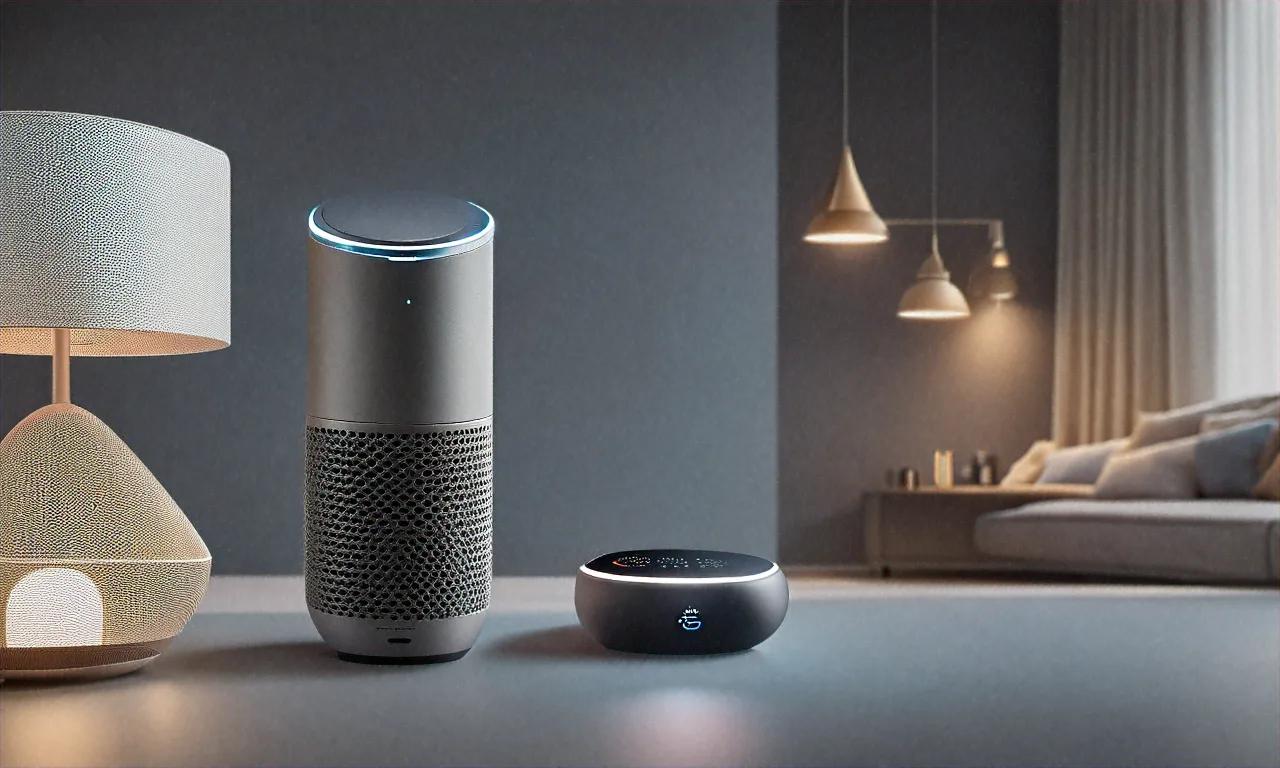
Three Hours, One Smart Bulb, Zero Progress
My first smart bulb wouldn't connect for three hours. Three. I sat on the floor of my living room in Pune, phone in one hand, bulb in the other, restarting my router for the fifth time while my wife asked if we could just use the normal switch. The instructions said "connect in under 60 seconds." That was a lie.
Turns out my router was broadcasting on 5 GHz only, and the bulb needed 2.4 GHz. Nobody mentioned this on the box. Nobody mentioned it in the app setup flow. I had to find the answer in a Reddit thread from 2023 with four upvotes.
That experience could've killed my smart home journey before it started. It didn't, thankfully. Over the past year I've tested dozens of smart home products available in India, returned quite a few that didn't work reliably, and settled on a setup that's affordable, practical, and — I'll admit — surprisingly fun to use. My 2BHK apartment now runs on voice commands, automated routines, and a total investment of under Rs 25,000.
Here's everything I've learned, including the mistakes so you don't repeat them.
Start with a Voice Assistant: Your Smart Home's Brain
A voice assistant acts as the central hub connecting and controlling all your smart devices. In India, you've got two practical choices: Amazon Alexa and Google Home (Google Assistant). Apple HomeKit exists but has very limited compatible devices in India, so I'd skip it unless you're deeply invested in the Apple ecosystem already.
Amazon Alexa (Echo Dot 5th Gen -- Rs 4,499)
The Echo Dot remains the most popular smart speaker in India, and there's a reason for that. Alexa's device compatibility is broader than Google Home's — most smart home brands in India prioritize Alexa support first. Hindi language support works well too; you can give commands in Hindi or mix Hindi and English naturally ("Alexa, bedroom ki light off karo"). Sounds weird in writing but feels completely normal when you're doing it.
Why I'd recommend Alexa for most Indian homes:
- Largest selection of compatible devices
- Better skills ecosystem (India-specific skills for cricket scores, recipes, news)
- Reliable voice recognition even in noisy environments
- Supports routines for multi-step automation
- Music streaming through Amazon Music, JioSaavn, Gaana, and Spotify
Google Home (Nest Mini 2nd Gen -- Rs 4,499)
Google Home's edge is its superior search integration and more conversational AI. Ask a complicated question — "What time does the Rajdhani Express from Delhi reach Mumbai tomorrow?" — and Google gives a better answer than Alexa nearly every time. I also think the Google Home app is more intuitive for setting up routines, though that's arguably subjective.
When to choose Google Home:
- If you use Google services heavily (Calendar, Gmail, Maps)
- If you prefer a more conversational assistant
- If your smart devices are Google Home compatible (check before buying)
Hindi and Regional Language Support
Both Alexa and Google Assistant support Hindi, and accuracy has improved substantially over the past two years. Alexa handles Hindi-English mixed commands well, which is how most Indians naturally speak. Google Assistant supports Hindi, Marathi, Bengali, Tamil, Telugu, Kannada, Gujarati, and Urdu — giving it the edge for multilingual households.
My recommendation: If you're setting up your first smart home, go with Amazon Alexa. Broader device compatibility, fewer headaches finding stuff that works.
Smart Lighting: The Biggest Quality-of-Life Upgrade
Smart lights were the first smart home product I bought, and they're still the one I use most. Being able to turn off the bedroom light without getting out of bed? Life changing. Dimming the living room for movie night with a voice command? Love it. Having all lights turn on automatically at sunset? That's the kind of thing that makes you wonder why you didn't do this sooner.
Budget Option: Wipro Smart LED Bulbs (Rs 499-699 per bulb)
Wipro's smart bulbs are the most popular in India. Cheap. Reliable. Connect directly to Wi-Fi with no hub needed. RGB color options are fun for mood lighting, and the whites range from warm (2700K) to daylight (6500K).
Pros:
- Affordable at Rs 499 for white, Rs 699 for RGB
- No hub required (direct Wi-Fi)
- Works with Alexa and Google Home
- Wipro Smart Home app for scheduling and color control
Cons:
- Can be slow to respond sometimes (1-2 second delay)
- Uses 2.4 GHz Wi-Fi only (which is fine for most routers, but that's what got me during my first setup disaster)
- Each bulb connects individually to your router, which can clog your Wi-Fi if you've got a lot of them
Premium Option: Philips Hue (Rs 1,999 per bulb + Rs 4,999 for hub)
Philips Hue is the gold standard in smart lighting globally. Color accuracy is noticeably better than budget options. Response time is near-instant. And the Zigbee protocol means bulbs communicate through the Hue Bridge hub rather than directly over Wi-Fi — more reliable, doesn't congest your home network.
Pros:
- Best color accuracy and brightness
- Near-instant response
- Zigbee protocol (more reliable than Wi-Fi, doesn't clog router)
- Huge ecosystem of compatible accessories
- Excellent app with scenes, routines, and entertainment sync
Cons:
- Expensive — a basic setup (hub + 3 bulbs) costs around Rs 11,000
- Requires the Hue Bridge hub
- Overkill for basic on/off and dimming
My Recommendation
For most rooms, Wipro Smart LED bulbs work perfectly fine. I use them in bedrooms and bathrooms where response time matters less. For the living room where I want better ambiance control and faster response, I invested in Philips Hue. Mixing and matching gives you the best value without blowing the budget.
Smart Plugs: Make Any Device "Smart"
A smart plug might be the most flexible smart home device you can buy. Plug any traditional appliance into it, and suddenly that appliance responds to voice commands and automation schedules. I use smart plugs for:
- Geyser (water heater): Turns on 15 minutes before my alarm goes off, turns off automatically after 30 minutes. Saves a lot of electricity.
- Table fan: Voice-controlled on/off from bed. Lazy? Sure. Worth it? Absolutely.
- Mosquito repellent plugger: Automatically turns on at 7 PM and off at 7 AM.
- Desk lamp: Part of my "goodnight" routine that kills all non-essential devices.
Best Smart Plugs in India
| Product | Price | Max Load | Wi-Fi | Works With | Energy Monitoring |
|---|---|---|---|---|---|
| Wipro Smart Plug | Rs 699 | 10A | 2.4 GHz | Alexa, Google | No |
| TP-Link Tapo P100 | Rs 799 | 10A | 2.4 GHz | Alexa, Google | No |
| Sonoff S31 | Rs 899 | 16A | 2.4 GHz | Alexa, Google | Yes |
| Amazon Smart Plug | Rs 1,499 | 6A | 2.4 GHz | Alexa only | No |
Important — and I can't stress this enough: Check the amperage rating. Most smart plugs top out at 10A or 16A. Indian geysers and high-power appliances need a 16A plug. If you plug a 2000W geyser into a 10A plug, you're asking for trouble. Possibly literal fire trouble. The Sonoff S31 with its 16A rating and energy monitoring is my top pick for geyser automation.
Smart Switches: The Permanent Solution
Smart plugs work, but they sit between the wall socket and the device, and they look... bulky. Not great aesthetically. Smart switches replace your existing wall switches entirely, giving your home a clean, integrated look. They work with existing wiring too, so you don't need to rewire anything.
Cona Smart Touch Switches (Rs 2,499-4,999)
Cona is an Indian electrical brand making capacitive touch switches with Wi-Fi connectivity. They look sleek — flat glass panels with touch-sensitive buttons — and they fit into standard Indian modular switch boards. Installation requires an electrician but it's straightforward. Maybe 30 minutes per switch.
Features:
- Touch control + voice control via Alexa/Google
- Scheduling and timer functions
- Works with existing wiring (line + neutral required)
- Available in 1-gang, 2-gang, 3-gang, and 4-gang configurations
- Backlit buttons visible in the dark
Sonoff Smart Switches (Rs 799-1,499)
Sonoff offers cheaper alternatives that fit behind existing switches. The Sonoff Mini R4 is a tiny module that sits inside the switch box behind your current switch. Your physical switch keeps working normally, but you gain voice control and automation on top. Downside? Installation requires some electrical knowledge — definitely get an electrician.
My Recommendation
Want a visible upgrade with a modern look? Go Cona. Want to keep your existing switches and just add smart control behind the scenes? Go Sonoff Mini R4. I've got Cona switches in the living room and hallway where guests see them, and Sonoff modules behind bedroom switches where aesthetics matter less. Best of both worlds, probably.
Security Cameras: Peace of Mind
A smart security camera might be the most practically useful smart home device, especially in India where home security is a genuine concern. Worth every rupee, in my experience.
TP-Link Tapo C200 (Rs 2,199)
Best budget security camera available in India right now. Offers 1080p video, pan/tilt (360-degree horizontal, 114-degree vertical), night vision, two-way audio, and motion detection alerts. Video quality is genuinely good — clear enough to identify faces in daylight and adequately visible at night using IR LEDs.
Key features:
- 1080p Full HD with pan/tilt
- Motion detection with push notifications
- Two-way audio (talk through the camera via your phone)
- MicroSD card storage (up to 512GB) — no mandatory cloud subscription
- Activity zones to reduce false alerts
- Privacy mode that physically tilts the lens away
Realme Smart Camera 360 (Rs 2,999)
Slightly pricier but offers 2K resolution and better night vision. If image clarity is your priority — say you're monitoring a front gate and need to read license plates or clearly see faces — the 2K resolution makes a real difference. I suspect it'll become the new budget standard within a year.
Where to Place Cameras
- Living room / main hall: Covers the most activity, useful for monitoring kids or elderly parents when you're away
- Front door / entrance: First point of security. Consider a video doorbell instead (see below)
- Balcony / parking area: Good for monitoring package deliveries and vehicles
- Baby's room: Two-way audio lets you talk to the baby without walking over
Video Doorbells
A video doorbell lets you see who's at your door from your phone, even when you're not home. Talk to the delivery person. Check if it's someone you know. Record activity at your front door around the clock. Seems like a luxury until you actually have one — then it feels necessary.
Best Options in India
The Qubo Smart Doorbell (Rs 3,990) is a Hero Group product designed specifically for Indian apartments. Works on Wi-Fi, has a wide-angle camera, supports two-way talk, and sends motion alerts. It's battery-powered, so no wiring is needed — just stick it next to your door. Installation took me about five minutes.
The Ring Video Doorbell (Rs 8,999) from Amazon is more polished but also significantly more expensive. Integrates tightly with Alexa and offers better video quality plus person detection. However, it strongly pushes a Ring Protect subscription for cloud video storage, adding Rs 250/month. Not sure if that ongoing cost is worth it when local storage alternatives exist.
Smart Locks
Smart locks let you unlock your door with a fingerprint, PIN code, phone app, or even voice command. Particularly useful for families where multiple members need access, or if you frequently have guests and don't want to make duplicate keys.
Things to Know Before Buying
- Most Indian doors use mortise locks, not the deadbolt-style locks that American smart locks are designed for. Make sure whatever you buy is compatible with Indian door types. I've seen people order from Amazon US only to discover it doesn't fit.
- Always keep the physical key as backup. Smart locks can run out of battery or malfunction. Getting locked out of your own house because the battery died isn't fun. Ask me how I know.
- Battery life is typically 6-12 months on 4 AA batteries, depending on usage frequency.
Recommended: Yale Linus Smart Lock (Rs 14,999)
Yale's a trusted lock brand globally, and their Linus model works with Indian mortise locks. Supports fingerprint, PIN, RFID card, and app-based unlocking. Build quality is solid, fingerprint sensor is fast and accurate. Pricey, yes, but you're trusting this thing with your home's physical security — probably not where you want to cut corners.
Automation Routines: Where the Magic Happens
Individual smart devices are useful on their own. But the real power comes from routines — automated sequences that trigger based on time, voice commands, or sensor inputs. Once you set these up, your home starts feeling like it anticipates your needs.
My Daily Routines
"Good Morning" routine (triggers at 6:30 AM on weekdays):
- Bedroom light turns on at 20% brightness (warm white)
- Geyser turns on via smart plug
- Alexa reads the weather forecast and top news headlines
- Living room light turns on after 10 minutes
"Leaving Home" routine (voice-triggered: "Alexa, I am leaving"):
- All lights turn off
- AC turns off (smart plug)
- Security camera switches from privacy mode to monitoring mode
- Alexa confirms: "Done. Everything is secured."
"Movie Time" routine (voice-triggered: "Alexa, movie time"):
- Living room lights dim to 10% (warm amber)
- Other room lights turn off
- TV turns on (if you have a smart TV or IR blaster)
"Goodnight" routine (voice-triggered: "Alexa, goodnight"):
- All lights turn off except a dim night light in the hallway
- Front door camera switches to motion-detection mode
- Mosquito repellent plug turns on
- Alexa says: "Good night. Your alarms are set."
Setting up these routines takes 10-15 minutes in the Alexa or Google Home app, and once they're running, they fire automatically every day. The geyser automation alone has noticeably cut my electricity bill because the geyser no longer stays on for hours after everyone's done showering. That single routine probably pays for itself within a few months.
Wi-Fi Mesh: The Invisible Foundation
Here's something people don't think about until everything stops working. All these smart devices connect through Wi-Fi, and if your Wi-Fi is weak or spotty, nothing performs reliably. The speed of your internet connection matters too — if you're on a recent 5G plan, you can even use your phone's hotspot as a backup when broadband goes down. But the cheap router your ISP gave you? It's probably fine for a 1BHK. For a 2BHK or larger home, you almost certainly have dead zones.
Why Mesh Routers Matter
A mesh router system uses multiple nodes placed around your home to create a single Wi-Fi network with consistent coverage everywhere. Smart home devices in a room far from the router connect to the nearest mesh node instead of struggling with a weak signal. Before I got mesh, my bedroom smart bulb would randomly go offline because it was just barely in range of the main router. Hasn't happened since.
Best Mesh Routers for Indian Homes
| Router | Price | Coverage | Wi-Fi Standard | Nodes |
|---|---|---|---|---|
| TP-Link Deco M4 (2-pack) | Rs 4,999 | 2,800 sq ft | Wi-Fi 5 | 2 |
| TP-Link Deco X50 (2-pack) | Rs 9,999 | 4,500 sq ft | Wi-Fi 6 | 2 |
| Google Nest WiFi Pro (2-pack) | Rs 21,999 | 4,400 sq ft | Wi-Fi 6E | 2 |
For most Indian apartments (1000-1500 sq ft), the TP-Link Deco M4 is more than enough and very affordable. For larger homes or if you've got 15+ smart devices, the Deco X50 with Wi-Fi 6 handles the additional device load better.
Placement tip: Put one node near your router/ISP connection and the other in the room farthest from it. Got a 3BHK? Consider a 3-pack. Nodes should be in line-of-sight or with minimal walls between them for best results.
Total Cost Breakdown: Budget Smart Home
Here's what a practical smart home setup costs for a 2BHK apartment. I've added this up three times to make sure the numbers are right:
| Item | Product | Quantity | Cost |
|---|---|---|---|
| Voice Assistant | Echo Dot 5th Gen | 1 | Rs 4,499 |
| Smart Bulbs | Wipro Smart LED (RGB) | 4 | Rs 2,796 |
| Smart Plugs | Sonoff S31 (16A) | 2 | Rs 1,798 |
| Smart Plugs | Wipro Smart Plug (10A) | 2 | Rs 1,398 |
| Security Camera | TP-Link Tapo C200 | 1 | Rs 2,199 |
| Video Doorbell | Qubo Smart Doorbell | 1 | Rs 3,990 |
| Mesh Router | TP-Link Deco M4 (2-pack) | 1 | Rs 4,999 |
| MicroSD Card | SanDisk 128GB (for camera) | 1 | Rs 699 |
| Total | Rs 22,378 |
Under Rs 25,000 for a genuinely smart home with voice control, automated routines, security monitoring, and reliable Wi-Fi. Not bad at all. Certainly cheaper than what most people imagine when they hear "smart home."
Optional Upgrades
If your budget stretches a bit further:
- Smart AC controller (Cielo Breez, Rs 5,999): Controls any AC via Wi-Fi, adds scheduling and temperature-based automation
- Smart lock (Yale Linus, Rs 14,999): Fingerprint and PIN access
- Second camera (Rs 2,199): For the entrance or parking area
- Philips Hue starter kit (Rs 11,000): Premium lighting for the living room
Electrical Safety Tips
Smart home devices are electrical devices, and safety shouldn't be an afterthought. Seems obvious, but I've seen enough Reddit horror stories to know that people cut corners. Don't.
-
Never exceed the rated load on a smart plug. A 10A plug handles a maximum of 2,300W (at 230V). A 16A plug handles up to 3,680W. Know your appliance wattage before plugging anything in.
-
Get a qualified electrician for smart switch installation. Some smart switches need a neutral wire, which older Indian wiring might not have at the switch box. Don't attempt DIY electrical work if you're not experienced. Electrocution isn't a learning experience you want.
-
Use surge protectors. Power fluctuations are common in many Indian cities. A surge protector between the wall socket and your expensive smart devices can prevent damage from voltage spikes.
-
Keep firmware updated. Smart home devices are IoT devices, and outdated firmware can have security vulnerabilities. Enable automatic updates in each device's app. Takes 30 seconds. Do it.
-
Use strong, unique Wi-Fi passwords. Your smart home devices are only as secure as your Wi-Fi network. Use WPA3 if your router supports it, and never use the default password. For a full walkthrough on securing your home network, see our home network security guide.
-
Separate IoT network. If your mesh router supports it, create a separate Wi-Fi network (SSID) for smart home devices. Isolates them from your personal devices, adding a layer of security. Most mesh systems make this easy — probably a five-minute setup.
What to Avoid
After a year of experimenting, here are products and approaches I'd steer clear of:
- Cheap no-brand smart devices from AliExpress: Often lack proper safety certifications (BIS in India) and may have security vulnerabilities. Saving Rs 200 isn't worth your house catching fire.
- Bluetooth-only smart devices: Range is too limited. Stick with Wi-Fi or Zigbee.
- Over-automating: Not everything needs to be smart. A smart toothbrush holder or a smart water bottle is gimmicky and adds complexity without real value. I tried a smart mug warmer once. Returned it within a week.
- Mixing too many ecosystems: Try to keep most devices within one ecosystem — Alexa or Google. Mixing both creates management headaches and limits what your automation routines can do.
Start with One Thing
If you're completely new to smart homes, here's my single most important piece of advice: don't buy everything at once. Start with one thing. A voice assistant and two or three smart bulbs. That's it.
Live with them for a week. Get comfortable with voice commands. Figure out the companion app. Then add smart plugs for your geyser and fan. Then a camera. Build gradually, one piece at a time. Each addition makes the whole system more capable, and you'll have time to figure out what actually matters to your household versus what's just a novelty.
I've seen friends drop Rs 40,000 in a single Amazon order and then spend weeks trying to set everything up simultaneously. Half the devices got returned because they were overwhelmed. Don't do that.
Start with one thing. Get it working. Enjoy it. Then add the next thing when you're ready.
A year from now, you'll wonder how you ever lived without saying "Alexa, goodnight" and having your entire home prepare for sleep in three seconds. But you don't get there in a day. You get there one smart bulb at a time.
If you've built your own smart home setup in India, drop what you're using in the comments. I'm always looking for new products and automation ideas — especially from people who've found creative solutions for Indian-specific problems like power fluctuations, humid weather, and shared apartment living.
Anurag Sharma
Founder & Editor
Founder and editor of Tech Tips India. Writes hands-on tech guides, reviews, and explainers focused on the Indian context — real rupee pricing, local availability, and practical setups tested before publishing.
Stay Ahead in Tech
Get the latest tech news, tutorials, and reviews delivered straight to your inbox every week.
No spam ever. Unsubscribe anytime.
Comments (0)
Leave a Comment
All comments are moderated before appearing. Please be respectful and follow our community guidelines.
Related Articles
Home NAS Setup in India: Complete Storage Guide
Build a home NAS in India: Synology vs QNAP vs DIY, RAID configurations, TrueNAS vs OpenMediaVault, and full budget breakdown.
Best Home Projectors in India: Complete Guide
A complete guide to the best home projectors in India across budget, mid-range, and premium segments, with tips on throw distance, lumens, and room setup.

iPad Pro M4 vs Samsung Tab S10 Ultra Compared
iPad Pro M4 vs Samsung Tab S10 Ultra: display, performance, stylus, multitasking, apps, and value for money in India.