Best Budget Laptops in India Under Rs 50,000 for 2026
8 best laptops under Rs 50,000 in India for 2026 with real-world performance tests, build quality reviews, and buyer recommendations.
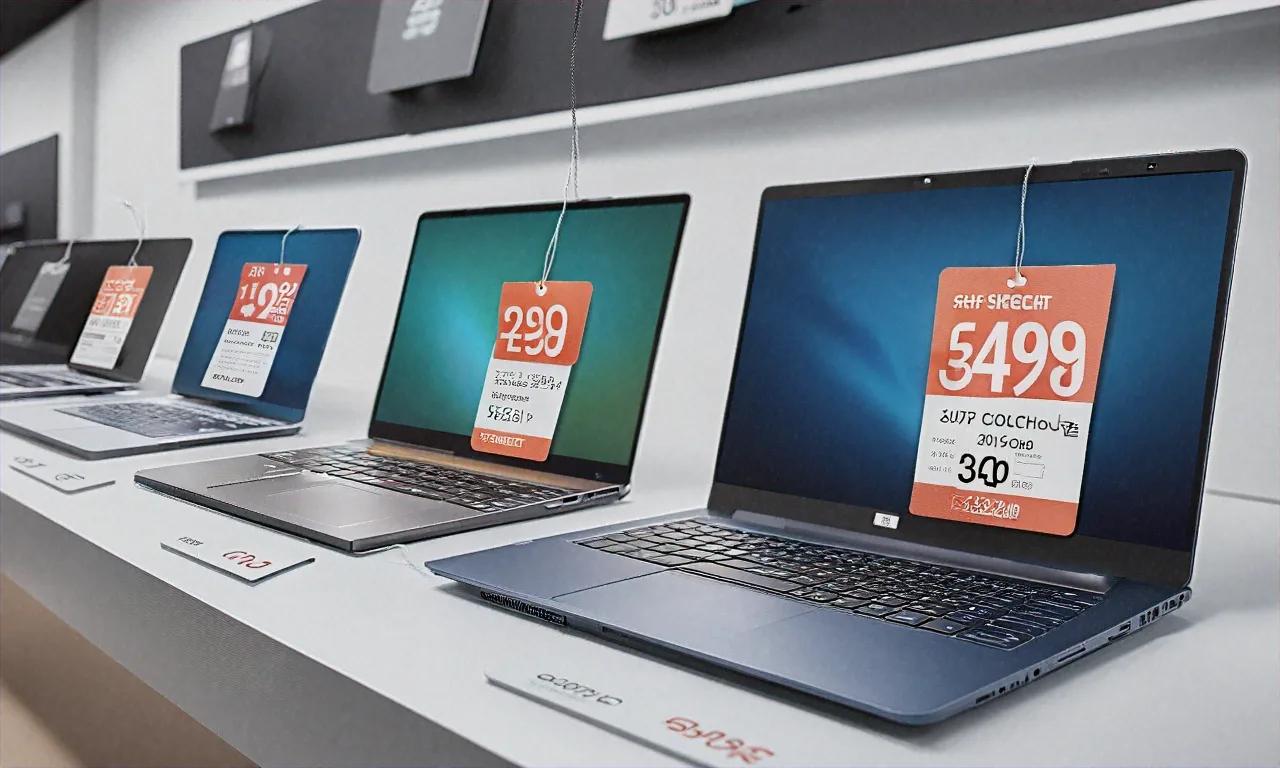
Eight laptops. One month of testing. Here's what's worth buying.
I used each of these as my daily machine for 3-4 days straight — browsing, coding, video calls, streaming, some photo editing. No synthetic benchmarks. Just how the thing actually felt in normal use, because spec sheets lie all the time at this price point.
Before the reviews, some ground rules about what matters under Rs 50,000.
Processor. You'll find Intel Core i5 (13th/14th gen) and AMD Ryzen 5 (7000 series). Both are fine for everyday stuff. Ryzen 5 usually gets better battery life and better integrated graphics. Intel i5 sometimes wins in single-threaded tasks. Don't buy an i3 at this price — the multitasking difference is noticeable.
RAM. 16GB minimum. Not negotiable. Chrome eats 4-5GB with a handful of tabs. Throw in a video call and a code editor, and 8GB becomes a wall immediately. Some laptops in this range still ship with 8GB. Skip them.
Storage. 512GB NVMe SSD is standard. Avoid 256GB unless you're comfortable with external drives. Make sure it's NVMe, not SATA — the speed gap on boot times and file transfers is real.
Display. This is where budget laptops make their biggest compromises. Most have 1080p IPS panels at 45% NTSC, 250-300 nits. Fine for spreadsheets, mediocre for everything else.
Build. Plastic everywhere. That's okay. Pay attention to keyboard flex and hinge quality.
The comparison table
| Laptop | Processor | RAM | Storage | Display | Battery | Weight | Price |
|---|---|---|---|---|---|---|---|
| HP 250 G10 | Intel i5-1335U | 16GB | 512GB NVMe | 15.6" FHD IPS | ~8hr | 1.74kg | Rs 45,990 |
| Lenovo IdeaPad Slim 3 | Ryzen 5 7530U | 16GB | 512GB NVMe | 15.6" FHD IPS | ~9hr | 1.63kg | Rs 46,990 |
| Acer Aspire Go 15 | Intel i5-1335U | 16GB | 512GB NVMe | 15.6" FHD IPS | ~8hr | 1.78kg | Rs 42,990 |
| ASUS VivoBook 15 | Ryzen 5 7530U | 16GB | 512GB NVMe | 15.6" FHD OLED | ~7hr | 1.70kg | Rs 49,990 |
| Dell Inspiron 15 | Intel i5-1335U | 16GB | 512GB NVMe | 15.6" FHD IPS | ~7hr | 1.65kg | Rs 48,490 |
| Realme Book Prime 2 | Ryzen 5 7530U | 16GB | 512GB NVMe | 14" 2.8K IPS | ~10hr | 1.38kg | Rs 44,999 |
| Samsung Galaxy Book 4 Go | Snapdragon 7c+ Gen 3 | 8GB | 256GB | 14" FHD IPS | ~14hr | 1.36kg | Rs 37,990 |
| MSI Modern 14 | Intel i5-1335U | 16GB | 512GB NVMe | 14" FHD IPS | ~8hr | 1.40kg | Rs 47,990 |
1. HP 250 G10
Not flashy. Won't turn heads. Does what you need, day after day, without making you think about it. That's actually the highest compliment I can give a budget laptop.
The keyboard is one of the best at this price — good travel, satisfying click, and a layout that doesn't do anything weird with the key spacing. I ran 15 Chrome tabs, VS Code, and Spotify at the same time without any real slowdown. Even with a Google Meet call running alongside all that, the i5-1335U kept things moving. If you're a VS Code user, our best VS Code extensions for 2026 list is worth a look. The 16GB DDR4 is upgradeable — one slot is user-accessible, which gives you a path to 32GB down the road if you need it. Build feels solid despite the plastic chassis; I didn't notice any creaking or bending during my time with it.
The display is adequate, nothing more — average brightness (around 260 nits in my testing), average color. Fine for spreadsheets and documents, less great for photo work or watching movies in a bright room. Trackpad's a bit small and gets imprecise at the edges, which is annoying if you're not using a mouse. Speakers are tinny and downward-firing — you'll want headphones or external speakers for anything beyond basic notification sounds.
Thermals were reasonable. The laptop gets warm under the keyboard area during sustained load, but never uncomfortably hot. Fan noise stays quiet during normal tasks and only becomes noticeable when you push the CPU hard for several minutes. Boot time from cold was about 12 seconds, which is fine for an NVMe setup.
Get it if: you want a straightforward, reliable work machine without any drama. Good for office use, coursework, and the kind of person who just wants their laptop to work without thinking about it.
Rs 45,990.
2. Lenovo IdeaPad Slim 3
Lenovo keeps nailing this segment. The Ryzen 5 7530U is efficient and punchy, and the battery life shows it — 8.5-9 hours in mixed use, consistently.
Light at 1.63kg for a 15.6-inch machine. Mostly clean Windows install (just Lenovo Vantage and a McAfee trial). Keyboard's good, trackpad's responsive. The 16GB comes as dual-channel DDR4, which actually helps integrated graphics performance.
The display has a narrow color gamut — photos and video look a bit washed out. Hinges feel slightly flimsy, which worries me for the long run. No USB-C charging, unfortunately — it's a proprietary Lenovo barrel plug.
Get it if: battery life and portability are your priorities and you live in Google Docs, Zoom calls, and light coding.
Rs 46,990.
3. Acer Aspire Go 15
Rs 42,990. Intel i5, 16GB RAM, 512GB SSD. Most competitors charge that for an i3 with 8GB. The value here is kind of absurd.
Performance matches laptops costing Rs 8,000 more — I ran the same workload on this and the HP 250 G10 side by side and couldn't feel a meaningful difference in day-to-day tasks. Decent ports (2x USB-A, 1x USB-C, HDMI, headphone jack), which is actually a better selection than some pricier options on this list. Fan noise is low during normal tasks; I could barely hear it in a quiet room.
But you can feel where they cut costs to hit that price. Build quality is a step below the HP and Lenovo — press down in the middle of the keyboard and there's flex you can't ignore. It's not going to break, but it feels cheap under the fingers. The display is the weakest on this list: dim (maybe 220 nits — I had trouble using it near a window), washed out, and with a noticeable blue tint that makes whites look cold. At 1.78kg, it's the heaviest option. The trackpad surface has a scratchy texture that gets mildly irritating during extended use without a mouse.
Battery life came in around 7.5-8 hours, which is respectable for an Intel i5 machine at this price. The charger is a standard barrel-type, not USB-C, and it's bulky enough that you'll feel it in a bag. Speakers are, well, they make sound. That's about all I can say for them.
Get it if: you want maximum specs for minimum money and you'll be using an external monitor and keyboard at a desk anyway, where the display and build quality matter a lot less. This is the "specs per rupee" champion.
Rs 42,990.
4. ASUS VivoBook 15 OLED
The only sub-50K laptop with an OLED display. And it makes everything else on this list look like it's showing content through a dirty window.
100% DCI-P3 color coverage. Infinite contrast ratio. 600 nits peak brightness. Blacks are actually black. Colors pop. Netflix on this screen is something else. Thin bezels make it feel bigger than 15.6 inches. The Ryzen 5 7530U runs cool and efficient.
Trade-offs: at Rs 49,990 you're at the absolute ceiling. Battery takes a hit from the OLED — 6.5-7 hours in my testing. Burn-in is a long-term concern with static elements like the taskbar. RAM is 16GB but soldered — no upgrade path.
Get it if: display quality matters more to you than anything else. Graphic design students, photo editors, or anyone who just wants the best screen at this price.
Rs 49,990.
5. Dell Inspiron 15
Dell's "you can't go wrong" option. Not the best at anything on this list. Good enough at everything. That's been the Inspiron pitch for years and the 2026 model doesn't change the formula one bit.
Feels well-assembled — the lid doesn't flex when you pick it up, the hinge has a satisfying resistance, and the palm rest doesn't creak. Comfortable keyboard with a number pad and decent spacing. Dell's service network in India is genuinely unmatched — there are authorized service centers in basically every city and most large towns. If your laptop needs repair, you're probably within a 30-minute drive of someone who can help, which isn't true for most brands on this list. ComfortView display technology reduces blue light without applying that ugly yellow tint that most blue-light filters use.
At Rs 48,490, it's less value per rupee than the Acer or Lenovo — you're paying a premium for the Dell name and support ecosystem. The design is boring. I mean genuinely, completely boring. Gray plastic, no distinctive features, looks like every other office laptop from the past decade. If aesthetics matter to you at all, look elsewhere. Fan gets noticeably audible under moderate load — heavy Chrome use or a video call was enough to spin it up. And it comes loaded with Dell bloatware: SupportAssist, Dell Mobile Connect, Dell Customer Connect, a McAfee trial. Budget about 20 minutes for cleanup after first boot.
The webcam is 720p, which is fine for video calls but not great. If you're on calls regularly, you'll probably want an external camera eventually. Battery life was around 6.5-7 hours in my testing, which puts it on the lower end for this list.
Get it if: you're buying for a family member who isn't tech-savvy and might need service center support someday. Dell's India presence is a genuine advantage that you can't get from Realme or MSI. Also works well for corporate environments where nobody will question a Dell.
Rs 48,490.
6. Realme Book Prime 2
The dark horse. A 2.8K (2880x1800) display in a laptop under Rs 45,000. That's frankly ridiculous.
The screen is sharp, bright, and color-accurate — text looks absurdly crisp. 1.38kg makes it the second lightest option. Battery cleared 10 hours in my testing. The aluminum body looks and feels way above its price class. Stereo speakers with Harman Kardon tuning that actually sound decent.
Port selection is limited though: 2x USB-C, 1x USB-A, headphone jack. No HDMI — you need a dongle. Only 14 inches, which bothers some people for productivity. The keyboard is shallow, so if you like deep key travel, you won't love it. Realme's laptop support in India is still young. To round out the desk setup, check our best mechanical keyboards for 2026 — a good keyboard makes the shallow laptop keys less of an issue.
Get it if: you want a premium-feeling, lightweight machine with an excellent display and don't mind carrying a USB-C dongle.
Rs 44,999.
7. Samsung Galaxy Book 4 Go
I need to be upfront about this one. It runs a Snapdragon 7c+ Gen 3 ARM chip, not Intel or AMD. That means Windows on ARM, with all its compatibility implications. Most modern apps work. Some niche stuff won't.
The upside: 14 hours of battery. Not a typo. I used it for two full workdays without charging. 1.36kg — lightest on the list. Always-on LTE on supported variants. Fanless, so it's dead silent. Wakes from sleep instantly, like a tablet.
The downside: the Snapdragon is noticeably slower than the i5/Ryzen 5 for anything CPU-heavy. 8GB of RAM is the main problem (this is the one exception to my 16GB rule, and it shows). 256GB of storage is tight. Some professional software won't run on ARM.
Get it if: your work is entirely web-based — Google Workspace, email, calls, browsing — and battery life is the thing you care about most. Otherwise, pass.
Rs 37,990.
8. MSI Modern 14
MSI makes gaming laptops. This isn't one. The Modern 14 targets professionals and mostly does it well while getting completely ignored by everyone shopping at this price point. I almost didn't include it, and I'm glad I did.
14-inch form factor at 1.40kg is easy to carry — noticeably lighter in a bag compared to the 15.6-inch options. The i5-1335U delivers consistent performance; no throttling during sustained work, no weird performance dips. The backlit keyboard is a genuine differentiator — it's surprisingly rare to find backlighting under Rs 50,000, and if you've ever tried to work on a train or in a dimly lit room, you know how much it matters. Key travel is decent, typing feel is good, and the layout makes sense.
Good thermals too — the laptop stays cool during normal workloads. Even after two hours of continuous use with a browser, VS Code, and Spotify running, the palm rest was barely warm. The bottom gets warmer, but nothing uncomfortable on your lap. Clean Windows install with essentially no preloaded junk, which was a nice surprise.
Display is where the compromises are. Viewing angles degrade noticeably when you move to the side — colors shift and contrast drops. The 45% NTSC color gamut is disappointing but typical for this price. If you're working straight-on, it's fine. If you're showing your screen to someone sitting next to you, they'll have a worse view. Trackpad could be bigger — it's functional but cramped for gestures. MSI's brand recognition in the non-gaming laptop space is low, which hurts resale value if you plan to sell in a year or two.
Battery came in around 7.5-8 hours of mixed use, which is reasonable for an Intel machine. The charger is compact compared to most in this roundup. Port selection is decent: USB-C, USB-A, HDMI, and a microSD slot.
Get it if: you're a developer or writer who wants portability, good thermals, and a backlit keyboard for working in dim environments. Also a solid pick if you travel frequently and want something that's light enough to barely notice in a backpack.
Rs 47,990.
Before you buy
Wait for sales. Flipkart Big Billion Days, Amazon Great Indian Festival, Republic Day sales — prices drop Rs 3,000-8,000 routinely. A Rs 49,990 laptop might hit Rs 42,000.
Stack bank offers. SBI, HDFC, ICICI credit cards often give 10% instant discounts on electronics. That on top of a sale price adds up fast.
Skip extended warranties, usually. Standard 1-year manufacturer coverage is generally enough. If you want more, buy it from the manufacturer directly — third-party warranty programs in India are often a headache to claim.
DIY RAM upgrades. Some of these laptops have accessible RAM slots. Buying the 8GB model and adding a stick yourself saves Rs 2,000-3,000 versus the 16GB variant. Just confirm the RAM isn't soldered first.
Ignore Geekbench. A 5% score difference is imperceptible in daily use. Focus on the display, keyboard, battery, and build — the things you actually interact with every day.
The short version
- Best overall: Lenovo IdeaPad Slim 3
- Best display: ASUS VivoBook 15 OLED
- Best value: Acer Aspire Go 15 at Rs 42,990
All eight are solid. The worst budget laptop of 2026 is better than the best one from 2022. Pick based on whatever matters most to you — screen, battery, weight, build, price — and you'll be fine.
Anurag Sharma
Founder & Editor
Founder and editor of Tech Tips India. Writes hands-on tech guides, reviews, and explainers focused on the Indian context — real rupee pricing, local availability, and practical setups tested before publishing.
Stay Ahead in Tech
Get the latest tech news, tutorials, and reviews delivered straight to your inbox every week.
No spam ever. Unsubscribe anytime.
Comments (0)
Leave a Comment
All comments are moderated before appearing. Please be respectful and follow our community guidelines.
Related Articles
WhatsApp Tips and Hidden Features for Indians
WhatsApp hidden features: chat lock, formatting tricks, storage tips, privacy settings, and power user shortcuts.
Home NAS Setup in India: Complete Storage Guide
Build a home NAS in India: Synology vs QNAP vs DIY, RAID configurations, TrueNAS vs OpenMediaVault, and full budget breakdown.
Best Home Projectors in India: Complete Guide
A complete guide to the best home projectors in India across budget, mid-range, and premium segments, with tips on throw distance, lumens, and room setup.