MacBook Air M4 Review: The Best Laptop for Most People?
A detailed review of the MacBook Air M4 covering performance, battery life, display, developer workflow, and India pricing with upgrade recommendations.
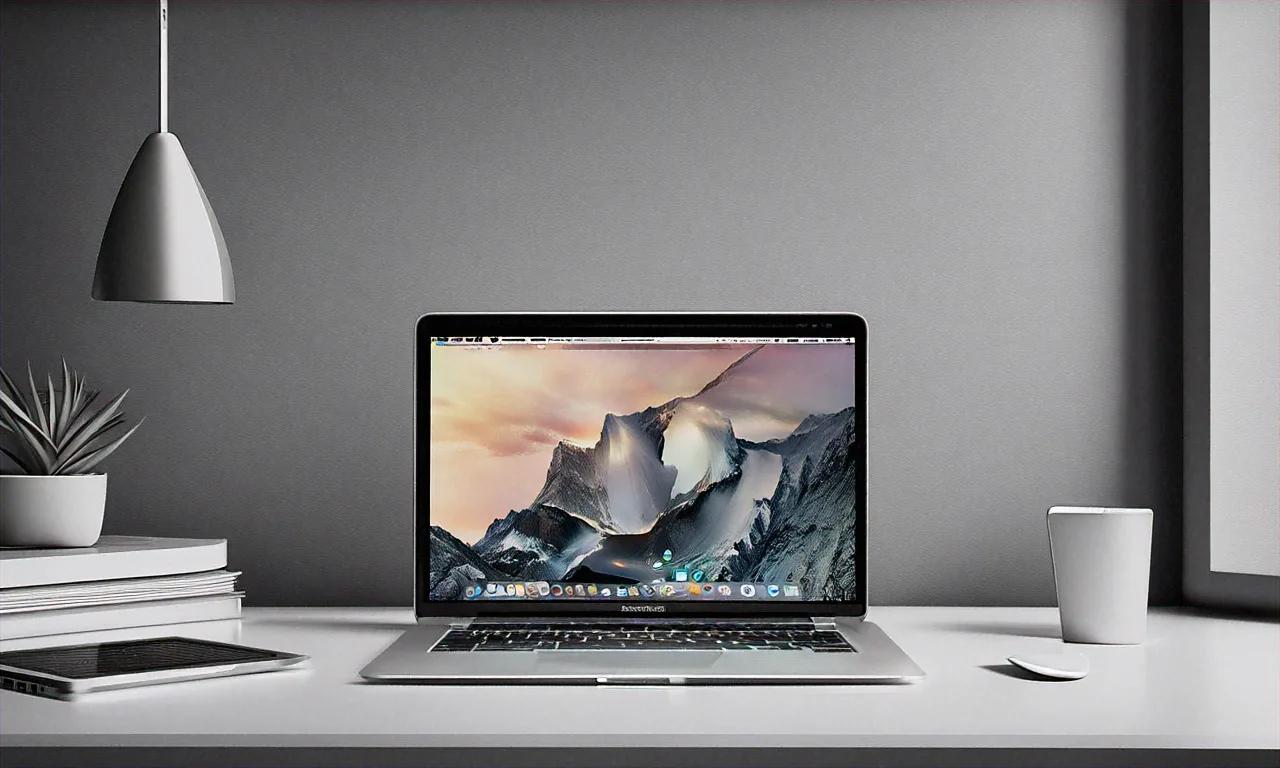
It's the best laptop for most people. There. I've said the conclusion upfront so you don't have to scroll through 2,500 words to find it. The MacBook Air M4 is the most refined laptop I've ever used, and for roughly 90% of buyers, it's all the laptop they'll ever need.
But "most people" is doing a lot of heavy lifting in that sentence. Whether you're part of that 90% or the 10% who should look elsewhere depends on specifics — and the specifics are worth discussing. Especially if you're weighing this against the Pro, or wondering whether upgrading from an M2 or M3 makes any sense.
I've been using this machine as my primary daily driver for three weeks. Client meetings, coffee shop sessions, hours of coding, photo editing, and enough general abuse to form a real opinion rather than echoing spec-sheet talking points. Here's everything I found.
M4 Chip: Numbers and Feel
Apple's M4 sits on TSMC's second-generation 3nm process (N3E). It packs a 10-core CPU (4 performance + 6 efficiency cores) and a 10-core GPU in the Air configuration. Unified memory architecture remains one of Apple Silicon's most underappreciated advantages — CPU, GPU, and Neural Engine all share the same high-bandwidth memory pool, which eliminates the bottleneck of copying data between separate pools.
Benchmarks
| Benchmark | MacBook Air M2 | MacBook Air M3 | MacBook Air M4 | Improvement (M3 to M4) |
|---|---|---|---|---|
| Geekbench 6 (Single) | 1,899 | 3,082 | 3,810 | ~24% |
| Geekbench 6 (Multi) | 8,928 | 11,824 | 15,290 | ~29% |
| Cinebench 2024 (Single) | 105 | 138 | 172 | ~25% |
| Cinebench 2024 (Multi) | 530 | 614 | 785 | ~28% |
| GPU (Metal - Geekbench) | 30,627 | 44,398 | 56,120 | ~26% |
M3 to M4 is a genuinely significant generational jump — roughly 25-29% across the board. What's more impressive is sustained performance. The Air M4 throttles less aggressively than previous models because Apple improved thermal management even without a fan. During a 15-minute Cinebench loop, performance dropped only about 8% from peak. M3 Air dropped 15% in the same test.
In Daily Use
Numbers are nice. How does it actually feel? Incredibly snappy. Everything I threw at it during daily use happened without perceptible lag:
- 30+ Chrome tabs (some running heavy web apps like Figma and Google Sheets): smooth, no slowdowns
- VS Code with a large TypeScript project, 8 extensions, integrated terminal: instant file switching, fast IntelliSense (see our picks for the best VS Code extensions in 2026)
- Xcode builds for a medium-sized iOS app: noticeably faster than M3, though serious iOS devs will still want the Pro
- Photo editing in Lightroom Classic with 42MP RAW files: responsive, though export speed is where the Pro pulls ahead
- Video calls (Zoom/Meet with screen sharing and camera): zero issues, no fans to spin up because there aren't any
Where does it struggle? Heavy sustained workloads that benefit from active cooling. Compiling a massive codebase, rendering 4K video in Final Cut Pro, running large ML models — these are where the fanless design becomes a limitation and the MacBook Pro earns its premium.
Battery Life — What I Actually Got
Apple claims "up to 18 hours." That's the Apple TV movie playback number, and nobody should take it literally. Here's what I measured with screen at 50% brightness and Wi-Fi on:
| Use Case | Battery Life |
|---|---|
| Web browsing + email + documents | 14-15 hours |
| Coding in VS Code + terminal + browser | 11-12 hours |
| Video calls (Zoom, 2-3 hours/day) mixed with work | 10-11 hours |
| Photo editing in Lightroom | 9-10 hours |
| Video playback (local file, headphones) | 17-18 hours |
The number that matters for me: coding workload, 11-12 hours. Full workday without touching a charger, running VS Code, a Node.js dev server, browser with DevTools, Slack, and Spotify simultaneously. On busy days when I forgot my charger, the Air M4 never died before I got home. That kind of reliability is hard to put a price on but genuinely valuable.
Compared to M3 Air, I'm seeing roughly 1.5-2 additional hours in the same workflows. M4's efficiency cores are doing their job.
Display: Gorgeous With One Caveat
13.6-inch Liquid Retina at 2560 x 1664, P3 wide color gamut, True Tone, 500 nits peak brightness. For a laptop in this price range, the display is excellent. Colors are accurate (matters for photo editing and design), text is razor-sharp, anti-reflective coating handles indoor lighting decently.
But — and this is the one area where I wish Apple had pushed harder — it's still 60Hz. In 2026. When phones costing Rs 15,000 have 120Hz screens. A laptop starting at Rs 1,19,900 shouldn't be stuck at 60Hz. MacBook Pro has had ProMotion (120Hz) since 2021. Scrolling on the Pro and then switching back to the Air feels noticeably less smooth.
Will this bother everyone? No. If you've never used a 120Hz laptop, you won't miss it. But if you switch between an iPhone (which runs at 120Hz) and the Air frequently, your eyes will catch the difference. It's clearly a feature Apple's holding back to maintain the Pro's differentiation.
Outdoor Use
At 500 nits, the Air M4 works outdoors in shade but struggles in direct sunlight. Anti-reflective coating helps, but working from gardens or balconies means cranking brightness to maximum and still squinting sometimes. Pro's 1,000-nit XDR peak brightness handles this much better.
Keyboard, Trackpad, Build
Keyboard is the same excellent Magic Keyboard Apple's been shipping since 2020 — the welcome departure from the nightmare butterfly era. Key travel's satisfying (about 1mm), keys are quiet, backlight is even. I can type for hours without fatigue.
Force Touch trackpad remains the best in the industry. Full stop. No Windows laptop trackpad comes close on precision, gesture support, or haptic feedback. If you're coming from a Windows machine, the trackpad alone will feel like an upgrade.
Touch ID on the power button works fast and consistently. I use it dozens of times a day — unlocking, authorizing purchases, filling passwords from Keychain. It fades into the background so completely that I forget it's there, which is the highest compliment for biometric authentication.
Build quality is premium aluminum, no flex anywhere. Hinge opens with one finger. At 1.24 kg, it's light enough to carry all day without noticing it in your bag. The Midnight color still picks up fingerprints, though Apple claims they've improved the anodization. It's better than M2's Midnight, but if you care about smudges, it's still not great.
Webcam and Sound
1080p FaceTime camera with Apple's ISP processing produces a genuinely good image for video calls. Handles mixed lighting well. Center Stage keeps you framed as you move — useful if you tend to shift during calls. Not iPhone quality, but far better than most competing laptops.
Four-speaker system with Spatial Audio sounds impressively wide and clear for something this thin. Won't mistake it for external speakers, but for casual media consumption and video calls, it's more than adequate. Bass is present but shallow — physically impossible to do better in a chassis this thin.
Three-mic array with directional beamforming isolates your voice from background noise fairly well. Tested on Zoom calls from a noisy cafe — colleagues said I sounded "clear enough." Not perfect, but significantly better than the average laptop mic.
Ports: The Eternal Complaint
MacBook Air M4 gives you:
- 2x USB-C / Thunderbolt 4 ports (both on the left)
- 1x MagSafe 3 charging port
- 1x 3.5mm headphone jack
Two Thunderbolt ports and a headphone jack. In 2026. That's it.
Enough for many people? Honestly, yes. I use a USB-C hub at my desk (connecting monitor, keyboard, mouse), and on the go, two ports handle a charger and an external drive just fine.
But both USB-C ports being on the left side is annoying when you need to connect something from the right. And needing more than two devices simultaneously without a hub — say a monitor, external drive, and USB microphone — means buying a dongle.
MacBook Pro M4 offers three Thunderbolt ports (two left, one right), HDMI, SD card slot, plus MagSafe and the headphone jack. If port variety matters to you, the Pro's worth the extra cost.
macOS Sequoia
Software experience is where Apple's vertical integration shines brightest. A few standouts:
iPhone Mirroring lets you see and control your iPhone screen directly on the Mac. I use it for WhatsApp messages without picking up my phone. Small productivity win that adds up over a day.
Window tiling finally works natively without third-party tools. Drag to edge, snap into place — Windows has had this for years, but Apple's implementation is cleaner and more customizable.
Apple Intelligence features include writing tools (summarize, rewrite, proofread), notification summaries, and a noticeably improved Siri. Writing tools are useful for drafting emails. Siri's... better than before, but still not as capable as Google Assistant for complex queries. On-device processing means your data stays on the laptop — a genuine privacy advantage.
For Developers: Can the Air Replace a Pro?
The question I hear most from developer friends. Here's my honest assessment after three weeks of daily dev work.
Works Great
- VS Code / Cursor / Zed: Lightning fast, even with large projects and multiple extensions
- Terminal and CLI tools: npm, cargo, pip, Docker CLI — all snappy
- Git operations: Fast even on large repositories
- Web development: Running Next.js, Vite, or Astro dev servers with hot reload works without a hitch
- Python / JavaScript / TypeScript development: No issues whatsoever
- Database tools: Running PostgreSQL and MongoDB locally handles fine
Works With Caveats
- Docker Desktop: Runs fine, but multiple containers eat through memory fast. Base 16GB model will feel constrained. Get the 24GB option if you use Docker regularly.
- iOS development (Xcode): Builds are quick for small-to-medium apps. Large apps with complex pipelines will be noticeably slower than the Pro with M4 Pro chip.
- Android Studio: Works but it's resource-heavy. Emulator eats RAM. Again, 24GB is the minimum I'd recommend.
Needs the Pro
- Large-scale compilation (Linux kernel, Chromium, massive monorepos): sustained performance and active cooling matter
- Machine learning training: Even small model training benefits from Pro's additional GPU cores and higher memory bandwidth
- Running multiple VMs simultaneously: Pro's higher RAM ceiling (up to 128GB) and additional cores are necessary
Developer verdict: If you're a web developer, the Air M4 with 24GB RAM is genuinely all you need. If you do iOS development professionally, work with emulators, or run containers heavily, the Pro is the safer bet.
For Students
At Rs 1,19,900 for the base model (16GB/256GB), the Air M4 isn't cheap for students. But hear me out.
This laptop will last you through 4-5 years of college without breaking a sweat. A machine bought first year that still performs excellently in final year is worth more than a cheaper laptop you'll need to replace in two years. Add the education discount — Apple India offers Rs 10,000 off through their education store — and the value improves.
That said, if budget's a real constraint, a well-specced Windows laptop at Rs 60,000-70,000 handles most student work perfectly fine. We have a roundup of the best budget laptops in India under Rs 50,000 covering excellent options. The MacBook is nicer, but it's not a necessity.
India Pricing and Configurations
| Configuration | Price (India) |
|---|---|
| M4, 16GB RAM, 256GB SSD | Rs 1,19,900 |
| M4, 16GB RAM, 512GB SSD | Rs 1,39,900 |
| M4, 24GB RAM, 512GB SSD | Rs 1,59,900 |
| M4, 24GB RAM, 1TB SSD | Rs 1,79,900 |
| M4, 32GB RAM, 1TB SSD | Rs 1,99,900 |
Which One to Buy
- Students and light users: 16GB/512GB (Rs 1,39,900). Skip the 256GB — it fills up fast.
- Developers and creative professionals: 24GB/512GB (Rs 1,59,900). Extra RAM matters for Docker, Xcode, and serious multitasking.
- Future-proofing enthusiasts: 24GB/1TB (Rs 1,79,900). If you keep laptops 5+ years, the extra storage pays off.
- Skip the 32GB model unless you have a very specific reason. For most Air users, 24GB is plenty. If you need 32GB, you probably need a Pro.
Air M4 vs Pro M4
| Feature | Air M4 | Pro M4 (base) |
|---|---|---|
| Starting Price | Rs 1,19,900 | Rs 1,69,900 |
| Chip | M4 | M4 Pro |
| CPU Cores | 10 (4P + 6E) | 12 (6P + 6E) |
| GPU Cores | 10 | 16 |
| Max RAM | 32GB | 48GB |
| Display | 60Hz, 500 nits | 120Hz ProMotion, 1000 nits |
| Ports | 2x TB4 + MagSafe | 3x TB4 + HDMI + SD + MagSafe |
| Fan | No (fanless) | Yes (active cooling) |
| Weight | 1.24 kg | 1.55 kg |
| Battery | ~15 hrs (web) | ~17 hrs (web) |
Pro is worth the Rs 50,000 premium if you need: ProMotion display, sustained performance under heavy workloads, more ports, or more than 32GB RAM. For everyone else, the Air is better value.
Should You Upgrade from M2 or M3?
From M1 Air: Yes, absolutely. Performance jump is massive, display is better, and MagSafe alone is a quality-of-life upgrade.
From M2 Air: Worth considering if you need more performance or RAM. The ~50-60% benchmark improvement is meaningful for demanding tasks. If your M2 handles your workload fine, there's no urgency.
From M3 Air: Probably not, unless you specifically need the 32GB RAM option (which M3 Air didn't offer). 25% performance bump is nice but not a huge leap for typical Air workloads.
The Recommendation
MacBook Air M4 doesn't reinvent the laptop. Doesn't need to. What it does is execute the fundamentals at an extremely high level: outstanding performance for its class, all-day battery life, a beautiful display, the best trackpad in the business, and build quality that makes everything else at this price feel less refined.
Is it the best laptop for most people? I genuinely think so. "Most people" being the key qualifier — professionals needing sustained performance, multiple external displays, or extensive port connectivity should look at the Pro. But students, knowledge workers, web developers, writers, and general users who want something fast, reliable, portable, and built to last? The Air M4 is what to beat.
The sweet spot: 24GB/512GB at Rs 1,59,900. Enough memory for serious multitasking, enough storage for a few years of work, and all the performance of Apple's latest silicon. That's my recommendation, and I'm confident enough in it to say you won't regret that particular purchase. Three weeks of daily use only reinforced the conclusion I started with — for the overwhelming majority of laptop buyers, this is the one to get.
Anurag Sharma
Founder & Editor
Founder and editor of Tech Tips India. Writes hands-on tech guides, reviews, and explainers focused on the Indian context — real rupee pricing, local availability, and practical setups tested before publishing.
Stay Ahead in Tech
Get the latest tech news, tutorials, and reviews delivered straight to your inbox every week.
No spam ever. Unsubscribe anytime.
Comments (0)
Leave a Comment
All comments are moderated before appearing. Please be respectful and follow our community guidelines.
Related Articles
Nothing Phone 3 Review: Worth the Hype in 2026?
Nothing Phone 3 review: Glyph 2.0, Nothing OS 3.0, camera quality, Snapdragon 8s Gen 4 performance, and India pricing verdict.
Electric vs Petrol Cars in India: Cost Compared
Electric vs petrol car cost comparison in India covering purchase price, charging, maintenance, insurance, and government subsidies.
Best Wireless Earbuds in India 2026: All Budgets
A detailed guide to the best wireless earbuds available in India across budget, mid-range, and premium segments with real-world comparisons.